Best eSIM for UK Travel in 2026: Prices, Networks and How to Choose
How to pick a UK travel eSIM: how much data you need, which networks they use, live prices, iPhone and Android setup, and how to keep a number for calls and texts.
Get a numberUK & US numbers from $2.00/month
Need a UK or US number? Get one from $2.00/month, no SIM →
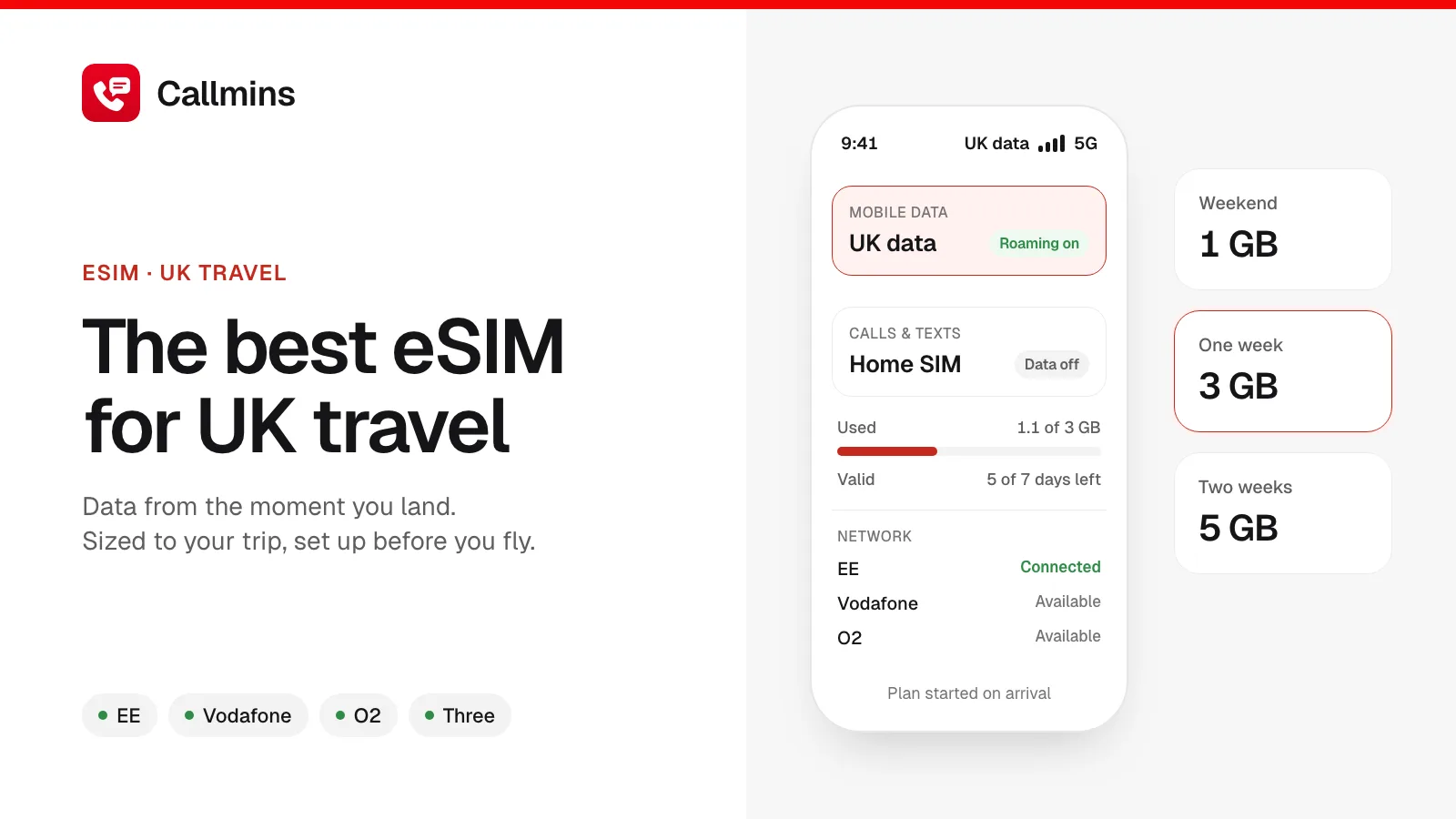
The best eSIM for UK travel is a prepaid, data-only plan on a major UK network (EE, Vodafone, O2 or Three) that you install at home before you fly and size to your trip: about 1 GB for a weekend, 3 GB for a week and 5 GB for two weeks. On callmins, UK plans start at $0.75 and a plan that covers a typical week costs $3.75 (3 GB, 15 days), paid once with nothing to renew. A UK pay-as-you-go SIM is better value only if you are staying a month or longer.
This guide covers how much data you really need, which networks a UK eSIM uses, what plans cost here and elsewhere, how to install one on iPhone and Android, and the one thing every data-only eSIM leaves out: a phone number.
The short answer, by traveller
| If you are… | Buy | Why |
|---|---|---|
| On a weekend in London | 1 GB, valid 3+ days | Maps, Tube times and messaging use little data |
| Touring for a week or two | 3 to 5 GB | Room for photos, social media and a few video calls |
| Working remotely for a month | 20 GB or more | Laptop hotspot and video meetings add up fast |
| Also visiting Ireland or Europe | A plan that lists every country | A UK-only plan stops working at the border |
| Staying three months or more | A UK pay-as-you-go SIM | Cheaper per GB over time, and comes with a UK number |
How a UK travel eSIM works
An eSIM is a SIM profile you download instead of a plastic card you insert. Your phone keeps its normal SIM and adds the travel eSIM as a second line. You point mobile data at the eSIM, and it connects to a UK network as a roaming partner, so you pay the plan price and nothing else.
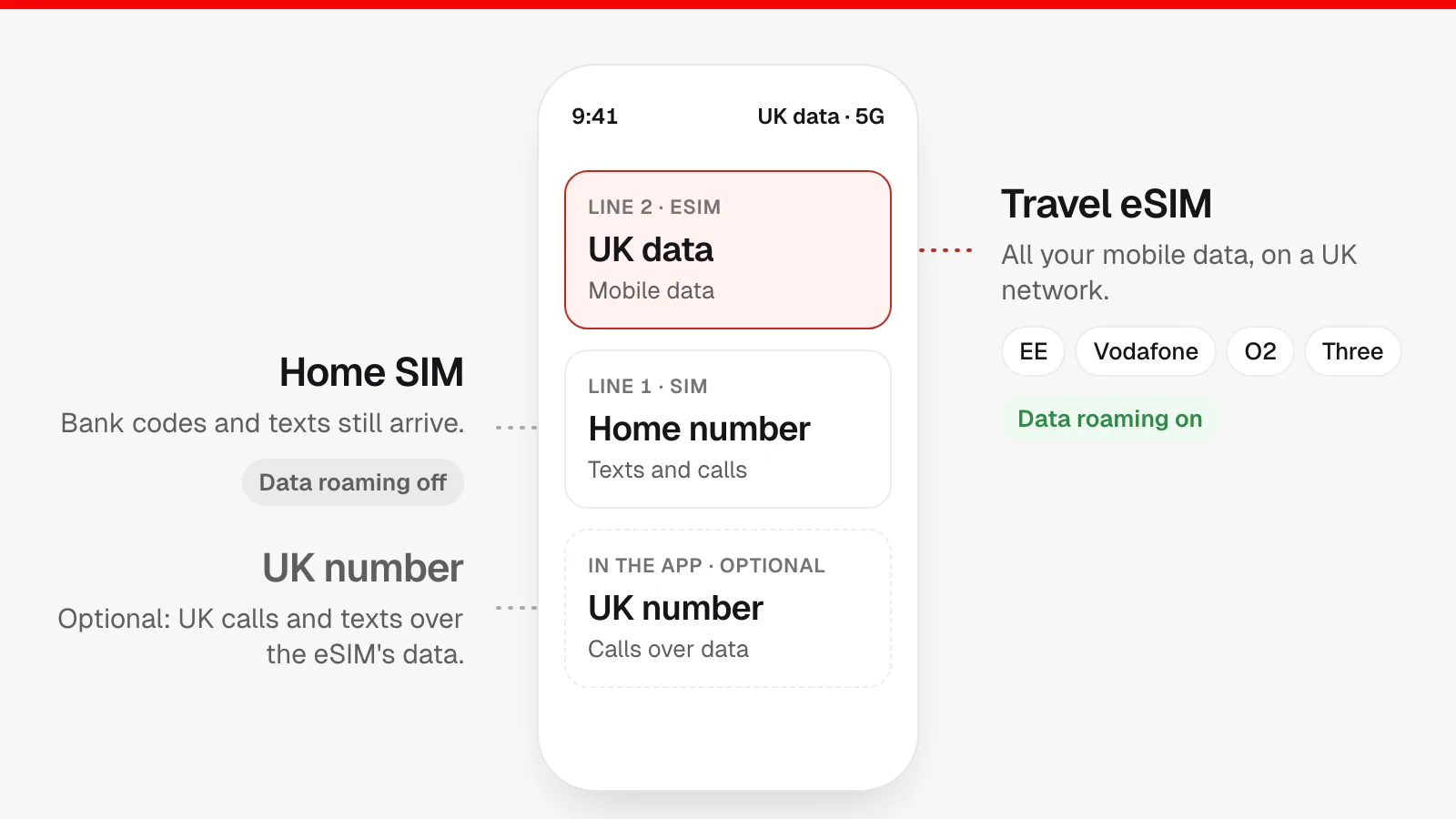
Three details trip people up:
- The clock starts on arrival, not purchase. Validity begins when the eSIM first connects to a network in the UK, so installing a week early costs nothing.
- Data roaming must be on for the eSIM line. The eSIM is technically roaming on a UK network. Turn data roaming on for the eSIM and off for your home SIM.
- The phone must be unlocked. A phone locked to your home carrier will refuse a second carrier's eSIM.
How much data you need in the UK
Most people overbuy. Navigation, messaging, ride-hailing and train tickets use very little data; video is what burns through a plan. Streaming or video calling can use 1 GB an hour or more, while a full day of maps and messaging usually stays well under that. Free Wi-Fi is common in UK hotels, cafés, trains and most Tube stations, which stretches a small plan further.
| Trip | Typical use | Data to buy |
|---|---|---|
| Weekend 2 to 3 days | Maps, messaging, tickets, a few photos | 1 GB |
| One week up to 7 days | The above plus social media and browsing | 3 GB |
| Two weeks up to 14 days | The above plus a few video calls home | 5 GB |
| A month up to 30 days | Laptop hotspot, regular video calls | 20 GB+ |
If you run out, you can buy another plan in the app and switch to it in a couple of minutes, so starting small is low-risk.
What a UK eSIM costs on callmins
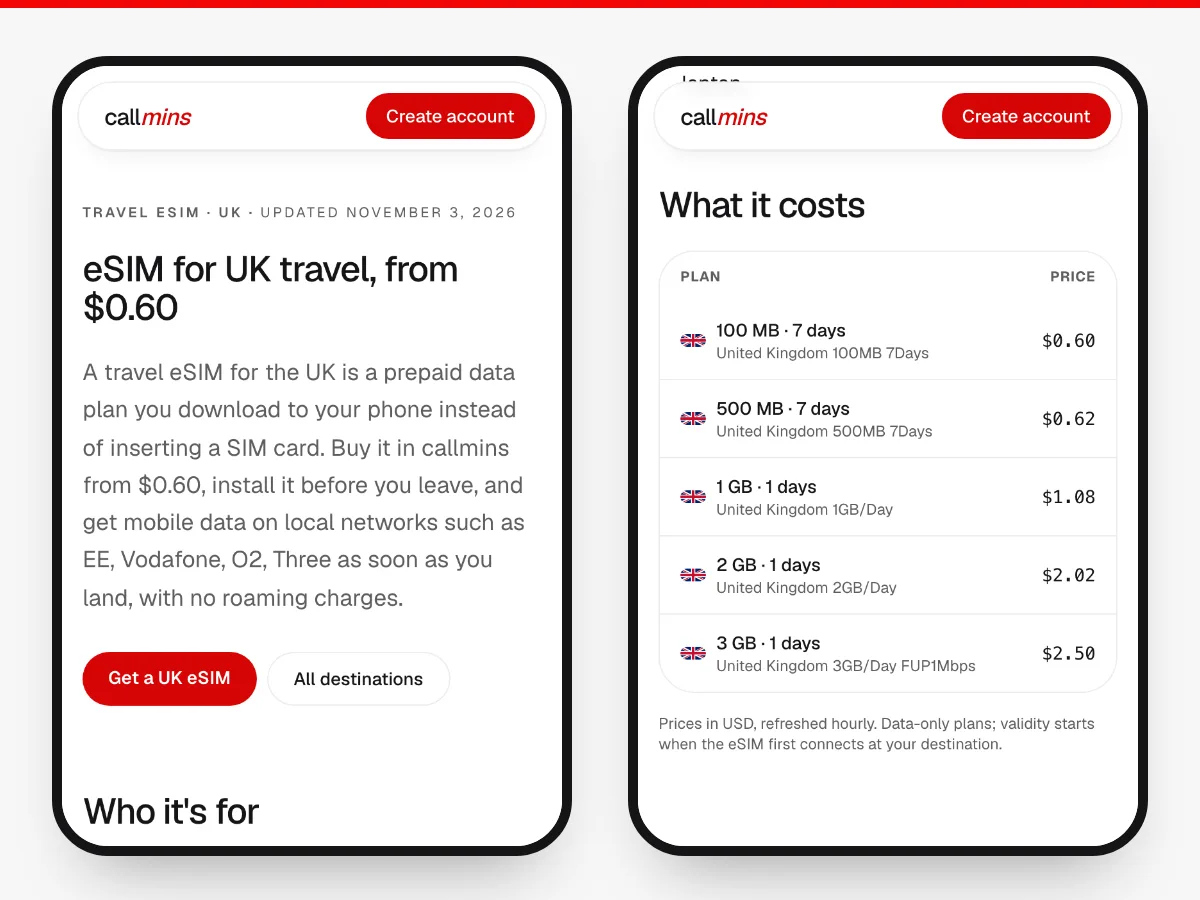
These are the cheapest UK plans that cover each trip above, taken from our live catalogue. Prices are in US dollars and refresh every hour.
| Trip | Plan that fits | Price |
|---|---|---|
| Weekend | 1 GB · 7 days | $1.43 $1.43 per GB |
| One week | 3 GB · 15 days | $3.75 $1.25 per GB |
| Two weeks | 5 GB · 30 days | $5.95 $1.19 per GB |
| A month | 20 GB · 30 days | $20.50 $1.03 per GB |
There are no activation or roaming fees on top, and nothing renews automatically. See every plan on the UK travel eSIM page.
What other travel eSIMs charge for the UK
For context, here is what three well-known providers list for the UK. We read these on their own pages; currencies are as each site showed them to us, and every provider changes prices often, so check before you buy.
| Provider | UK plan as listed | Source |
|---|---|---|
| Airalo | Unlimited data: 3 days $11.50, 7 days $27.00, 30 days $69.00 | As listed on airalo.com, Nov 2026 |
| Holafly | Unlimited data from €3.90 for 1 day, priced per day | As listed on esim.holafly.com, Nov 2026 |
| MoreMins | "Prepaid UK eSIM plan from £0.99" | As listed on moremins.com, Nov 2026 |
| callmins | Fixed-data plans from $0.75 | Live catalogue, refreshed hourly |
Unlimited plans make sense if you stream or tether heavily every day. For maps and messaging, a fixed-data plan sized to your trip is almost always cheaper, and "unlimited" plans often slow you down after a daily fair-use amount.
Which UK networks a travel eSIM uses
The UK has four mobile networks: EE, Vodafone, O2 and Three. Vodafone and Three merged in 2025 and are joining up their networks, so you may see either name. Travel eSIMs don't build their own masts; they buy access to one or more of these.
- Cities, towns and main rail lines: all four are reliable, with 5G in most city centres.
- Rural Scotland, Wales, the Lake District and national parks: coverage gets patchy on every network. EE and Vodafone generally reach further.
- The London Underground: mobile coverage now reaches many tunnels and stations, and most stations have Wi-Fi, but expect dead spots between some stops.
A plan that can switch between more than one network is the safer pick for road trips and hiking. callmins UK plans connect to the strongest available partner network.
Travel eSIM vs roaming vs a UK SIM card
| Option | Ready on landing | UK number | Best for |
|---|---|---|---|
| Travel eSIM | Yes, installed at home | No (data only) | Trips up to about a month |
| Home carrier roaming | Yes | No, your own number | Very short trips, or if your plan already includes the UK |
| UK pay-as-you-go SIM | No, bought after arrival or posted to a UK address | Yes | Stays of a month or more |
| Airport SIM kiosk | After a queue | Usually | Rarely the best deal |
Two checks before you buy anything. First, look at your current plan: some US, Canadian and Australian plans already include UK roaming. Second, if you are coming from the EU, remember that EU "roam like at home" rules stopped covering the UK after Brexit. Some EU carriers still include the UK; many now charge.
The catch: a travel eSIM has no phone number
Almost every travel eSIM, ours included, is data only. That is fine for WhatsApp, FaceTime and Google Maps, but it leaves three gaps that competitor round-ups rarely mention:
- Bank and app codes still go to your home number by SMS. Keep your home SIM switched on for texts, with data roaming off on that line. Receiving texts abroad is free or cheap on most plans, but check yours.
- UK businesses call UK numbers. Restaurants, hotels, couriers, letting agents and tour operators often want a local number and may not call abroad.
- Calling UK numbers from your home number costs international rates.
The fix is a UK virtual number in the callmins app ($3.00/month, no setup fee). It rings over your eSIM's data, lets you call UK landlines and mobiles at our pay-as-you-go rates, and keeps working after you fly home. Your eSIM, number and wallet all live in the same app.
How to install a UK eSIM on iPhone
Do this at home over Wi-Fi, a day or two before you travel. You need the QR code or install link from your provider; in callmins it is under eSIM Data → My eSIMs.
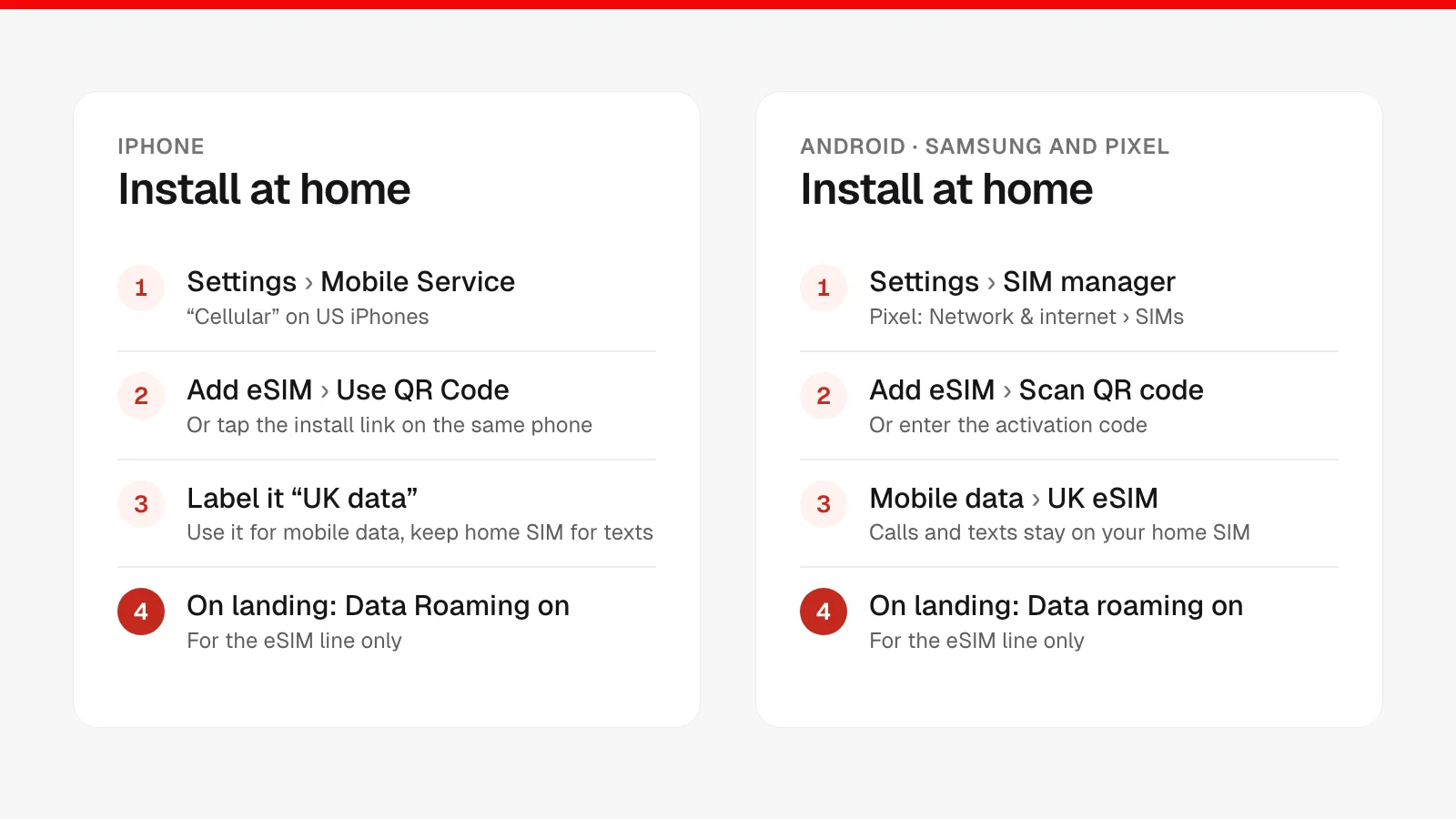
- Open Settings → Mobile Service (called Cellular on US iPhones) and tap Add eSIM.
- Choose Use QR Code and scan the code shown on another screen. On the same phone, tap the install link instead, or use Enter Details Manually with the SM-DP+ address and activation code.
- Label the new line, for example UK data.
- When asked, keep your home line as the default for calls and texts, and pick UK data for mobile data. Turn off Allow Mobile Data Switching.
- After landing, open Settings → Mobile Service → UK data, make sure the line is on and switch Data Roaming on. Check that Data Roaming is off on your home line.
Stuck on an error? Our step-by-step guide to installing an eSIM on iPhone covers every iOS message and fix.
How to install a UK eSIM on Android
Menu names vary by brand. These are the paths on the two most common:
Samsung Galaxy
- Settings → Connections → SIM manager → Add eSIM.
- Tap Scan QR code from service provider and scan it, or enter the activation code manually.
- Under SIM manager, set Mobile data to the UK eSIM and keep calls and texts on your home SIM.
- On arrival: Settings → Connections → Mobile networks → Data roaming on for the eSIM.
Google Pixel
- Settings → Network & internet → SIMs → Add SIM (or + Add eSIM), then Download a SIM instead? if asked.
- Scan the QR code and confirm the download.
- Open the new SIM, turn on Mobile data and, once in the UK, Roaming. Turn mobile data off on your home SIM.
If the eSIM won't connect after landing
- Check the eSIM line is switched on and selected for mobile data.
- Turn on Data Roaming for the eSIM line. This is the cause nine times out of ten.
- Toggle Airplane Mode on for ten seconds, then off.
- Set network selection to Automatic, or pick EE, Vodafone, O2 or Three manually.
- Restart the phone. If it still fails, contact support with the eSIM's ICCID.
Don't delete the eSIM while troubleshooting: most profiles can only be installed once.
Pros and cons of a UK travel eSIM
Pros
- Online the moment you land, with no airport queue or shop visit.
- A fixed price you see before you pay; no roaming bill afterwards.
- Your home SIM stays in the phone, so you keep your number for texts.
- Hotspot works, so a laptop or tablet can share the data.
- Top up or buy another plan from your phone if you run out.
Cons
- No UK phone number on data-only plans (see the fix above).
- Needs an unlocked, eSIM-capable phone.
- For stays of a month or more, a UK pay-as-you-go SIM is usually cheaper per GB.
- A UK-only plan doesn't work in the Republic of Ireland or mainland Europe.
- Most profiles install once; delete one and you may need a new plan.
Going on to Ireland or Europe?
A UK plan covers England, Scotland, Wales and Northern Ireland. Cross into the Republic of Ireland and it stops working. Near the Northern Ireland border your phone can also latch onto an Irish network by accident, which a UK-only plan won't cover.
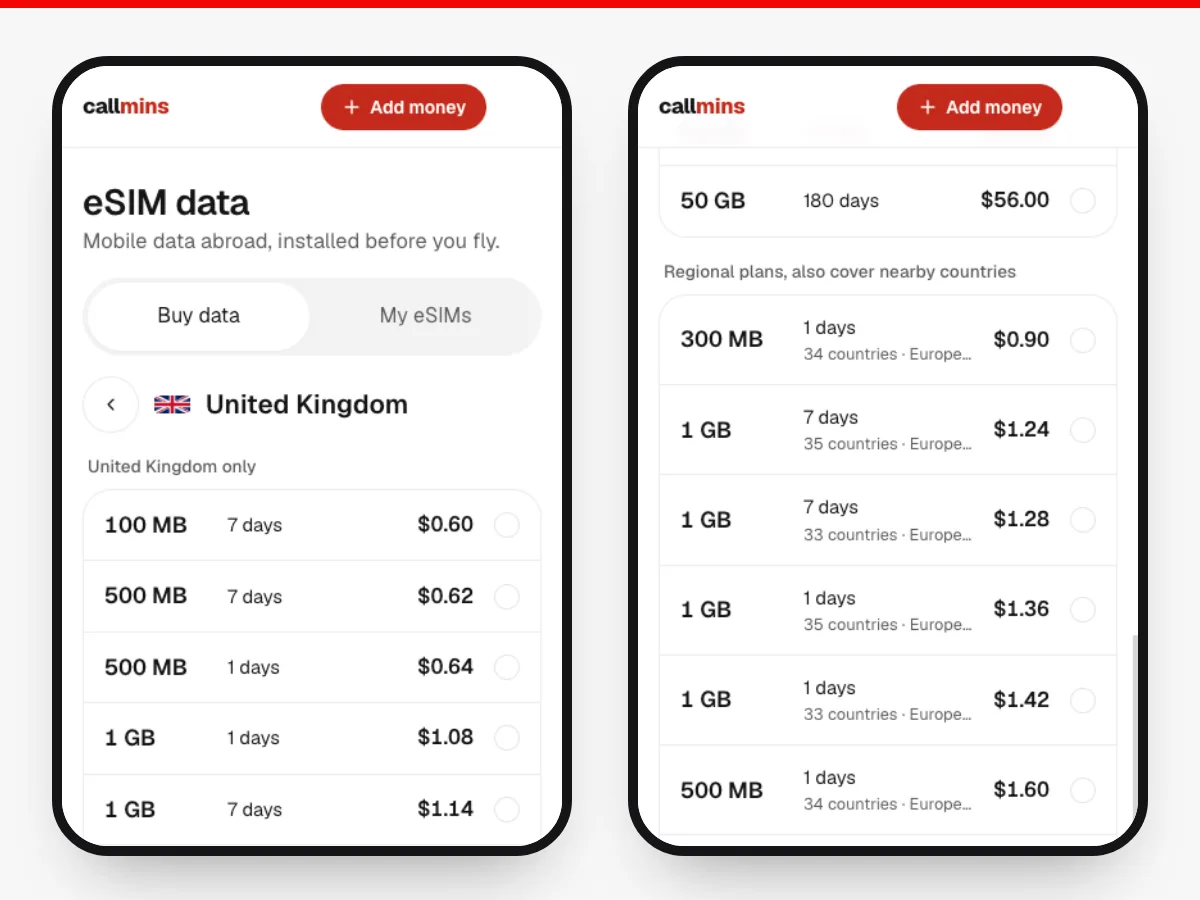
In our catalogue right now, a week-long plan that covers the UK, Ireland and most of Europe (33 countries) starts at $1.60 for 1 GB over 7 days. Regional plans like this are listed below the UK-only ones when you search the UK in the app.
- eSIM for Ireland (from $0.80): Vodafone, Three, Eir
- eSIM for France (from $0.75): Orange, SFR, Bouygues Telecom
- eSIM for Netherlands (from $0.80): KPN, Vodafone, Odido
- eSIM for Spain (from $0.80): Movistar, Vodafone, Orange
- All 40+ travel eSIM destinations
How to get a UK eSIM on callmins
- Create a free account and add credit to your wallet.
- Open eSIM Data, search United Kingdom and pick a plan by data and days.
- Install it at home using the steps above. The days start when you land.
- Optional: add a UK number for calls and texts over the same data.
Common questions
What is the best eSIM for UK travel?
A prepaid, data-only eSIM that runs on a major UK network (EE, Vodafone, O2 or Three), lasts as long as your trip and has enough data for it: about 1 GB for a weekend, 3 GB for a week and 5 GB for two weeks. Install it at home over Wi-Fi so it connects the moment you land. On callmins, UK plans start at $0.75.
Do I need an eSIM to visit the UK?
No, but it is usually the cheapest way to have mobile data from the moment you land. The alternatives are your home carrier's roaming (simple, often several dollars a day), a UK pay-as-you-go SIM (good value for long stays, but bought after you arrive) or relying on Wi-Fi.
Which UK network is best for an eSIM?
EE, Vodafone, O2 and Three all cover the cities and main roads well. Differences show up in rural Scotland, Wales and national parks, where EE and Vodafone tend to reach further. A travel eSIM that can use more than one network is the safest choice if you are heading off the beaten track.
Does a UK travel eSIM include a phone number?
Usually not. Most travel eSIMs, including callmins plans, are data only. You can still call and message over WhatsApp, FaceTime or similar apps, keep your home SIM switched on to receive texts, or add a UK virtual number in callmins to make and take normal calls over the eSIM's data.
Will a UK eSIM work in Ireland or the rest of Europe?
A UK-only plan covers England, Scotland, Wales and Northern Ireland, but not the Republic of Ireland or mainland Europe. For a combined trip, buy a plan that lists both countries, or a separate eSIM for each country.
When should I install a UK eSIM?
A day or two before you fly, at home over Wi-Fi. Installing does not start the plan; the validity period begins when the eSIM first connects to a network in the UK. Leave the eSIM line switched off until you land if you want to be certain.
Can I use a UK eSIM as a hotspot for my laptop?
Yes, on most plans, including callmins UK plans. Hotspot use eats data quickly, so size up: 10 to 20 GB for a month of occasional laptop work is a sensible starting point.
Is my phone compatible with eSIM?
iPhone XS, XR and newer, Google Pixel 3 and newer, Samsung Galaxy S20 and newer, and most recent flagship Android phones support eSIM. The phone must be carrier-unlocked. On iPhone, Settings, General, About lists an EID if eSIM is supported; on Android, dial *#06# and look for an EID.
How we put this guide together
callmins prices on this page come straight from our eSIM catalogue and refresh every hour; if the catalogue can't be reached, we show no number rather than an old one. Competitor prices were read on each provider's own UK page on 3 November 2026. Data guidance is a starting point based on typical app use, not a guarantee.